Choosing the right WordPress plugins can shape the way an eCommerce site grows. Some tools strengthen performance, others improve visibility, and many introduce features that help you serve customers with more clarity and convenience. When these elements work together, your store becomes easier to run and far more appealing for shoppers.
From product visibility to automation, compliance, and post-purchase engagement, each one plays a distinct role, giving you options that fit both immediate needs and long-term improvements. With the right combination, your store can operate more smoothly and connect with customers in a more meaningful way.
Here’s a list of the top 15+ WordPress plugins to scale your eCommerce business. Let’s get started!
1. WooCommerce Marketing Automation App
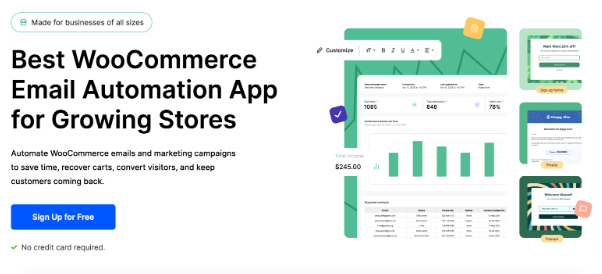
The eCommerce Marketing Automation app gives store owners a practical way to connect with shoppers through timely communication and purposeful on-site interactions. It brings email campaigns, popups, and signup tools into one place, so you can guide visitors from their first visit to their first purchase and beyond.
This WooCommerce Email Automation app makes it simple to greet new customers with welcome offers, set up consistent follow-up emails, and send reminders that bring cart abandoners back to complete their orders. With ready-made templates and flexible editing
options, you can adjust each message to match your brand and create a familiar tone across every campaign.
Beyond email, the platform helps you capture leads through forms and targeted popups that appear at meaningful moments, including when a visitor is about to leave your store. You can re-engage inactive customers with special incentives, thank buyers after every purchase, and track how each campaign performs. Everything is built to help you stay connected with your audience while improving conversions and nurturing repeat business.
2. WooCommerce Request a Quote Plugin
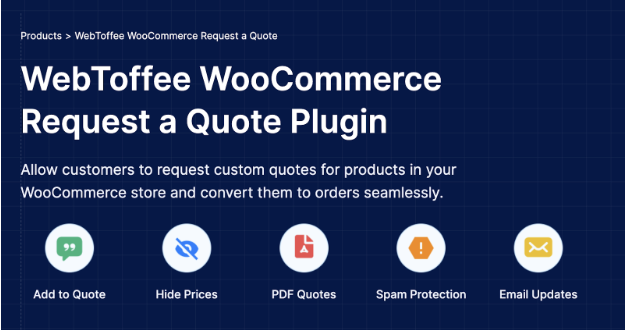
The WooCommerce Request a Quote plugin helps stores offer a flexible purchasing experience for shoppers who prefer negotiated pricing instead of instant checkout. It gives customers an easy way to collect items in a quote basket, submit quotes, and request custom pricing directly from your store. This creates a smoother path for businesses that sell in bulk, handle variable pricing, or work with clients who need personalized quotes before placing an order.
Store owners can hide prices, replace the add to cart purchase button with a simple add to quote option, and let shoppers share the price they are willing to pay. Once the request arrives, you can review the details, adjust the offer, and send a clear proposal that customers can convert into an order in one step. The plugin also supports automated replies for new quote submissions, which helps maintain quick communication without extra effort.
To keep requests clean and relevant, the plugin offers reCAPTCHA protection that blocks spam submissions. You can attach quote PDFs to outgoing emails, notify customers when their request is approved, and receive immediate alerts when a new quote is submitted. It brings clarity and control to every stage of the quoting process, making negotiations easier for both you and your customers.
3. MonsterInsights

MonsterInsights makes it easy for WordPress users to understand how visitors interact with their website through clear analytics data. You get focused reports directly in your WordPress dashboard, instead of sorting through complex data. These reports highlight patterns and performance indicators that help you make decisions about content, products, and user experience.
The plugin simplifies the entire setup process for Google Analytics. You can enable advanced tracking options with a few clicks and immediately start viewing information that is presented in a structured and readable format. The audience report reveals details such as visitor location, interests, device preferences, and general demographics, giving you a better view of who engages with your site. Store owners can rely on the eCommerce report to track revenue, conversion rates, referral sources, and other important metrics without leaving the dashboard.
For lead generation, MonsterInsights provides form conversion insights so you can identify which forms attract attention and which ones need improvement. All of this information is presented with clarity, giving you practical guidance to strengthen your site’s results.
4. WooCommerce Product Feed Plugin
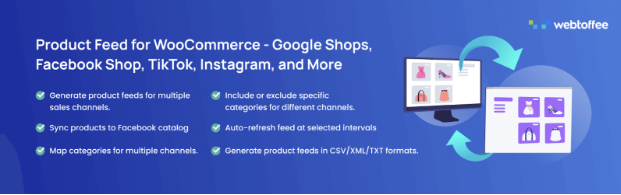
The WooCommerce Product Feed plugin helps you place your products in front of shoppers across major marketplaces with a few clicks. It gives store owners a simple way to build structured product feeds that stay accurate, stay up to date, and meet the formatting standards required by each sales channel. By sending feeds to platforms like Google, Facebook, Instagram, TikTok, etc., your catalog reaches buyers who are already searching for items like yours.
This product feed plugin supports a wide range of networks, including Google Shopping, Pinterest, Bing, and many more. It also covers specialized Google programs such as Local Product Inventory, Manufacturer Center, Merchant Promotions, and Product Reviews. Each feed can be refined using conditions and filters, allowing you to include only the items you want and map product details to the correct attributes for every channel. This makes each listing more relevant and improves its chances of getting approved.
To keep feeds fresh, you can schedule updates through server cron, which is helpful for stores with large catalogs or low daily activity. The plugin also offers a page where you can monitor feed refresh status and manage all active feeds from one place. With Facebook and Instagram catalog syncing supported through the Meta Business Suite, the plugin makes it easier to reach new audiences and expand your store’s visibility across multiple platforms.
5. Speed Optimizer

Speed Optimizer gives website owners a practical way to improve performance without dealing with technical settings or complicated adjustments. It focuses on the areas that influence loading time the most, helping your site feel more responsive for visitors while reducing unnecessary strain on your server. The tool groups its improvements into clear sections so you can apply meaningful changes with only a few clicks.
The caching system increases overall loading speed by storing static content and serving it quickly during repeat visits. Front-end improvements help reduce delays by shrinking CSS, JavaScript, and HTML files, which lightens the amount of code the browser needs to process. Media adjustments also play a major role by compressing images significantly while still keeping them sharp. Lazy loading is applied to images and other visual elements so the browser focuses on what appears on screen first.
Speed Optimizer also reviews the environment your WordPress site operates in, making sure background processes and resource usage remain efficient. Together, these adjustments help your site load faster, run smoother, and deliver a better experience to every visitor.
6. WooCommerce Product Recommendations

Looking to boost sales with a more personalized shopping experience? The WooCommerce Product Recommendation plugin makes it easy by automatically suggesting related products, frequently bought together items, and smart upsells based on shopper behavior.
You can place dynamic recommendation widgets on product pages, carts, checkouts, or custom landing pages, and create custom product recommendations to deliver targeted offers that resonate with your customers.
It’s a simple, effective way to increase engagement, improve conversions, and make every shopping experience more relevant and profitable.
7. Yoast SEO
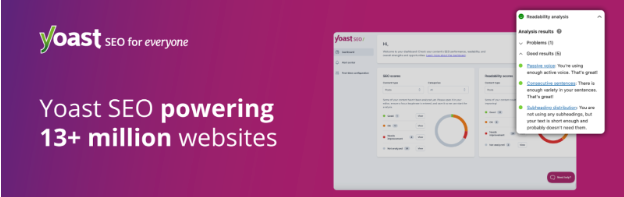
Yoast SEO gives WordPress users a clear path to improving search visibility through structured guidance and real-time feedback. It helps you refine your content, strengthen on-page signals, and present information in a format that search engines can easily understand.
The plugin reviews your content for keyword focus, clarity, and readability, offering suggestions that help you create writing that is both informative and easy to follow. It also evaluates inclusive language and general tone, encouraging a style that feels welcoming to a broader audience. Technical improvements are handled in the background, such as generating accurate meta tags, creating canonical URLs, and preparing advanced XML sitemaps that guide search engines through your site structure.
Yoast SEO includes Schema.org support that helps search engines interpret your pages correctly, improving the appearance in the SERP. Yoast SEO also offers practical support for both content creators and site administrators looking to raise their overall search performance.
8. Product Import Export for WooCommerce
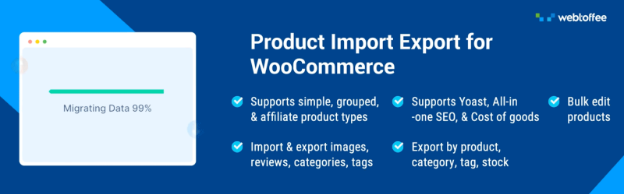
The Product Import Export plugin for WooCommerce gives store owners a practical way to manage an extensive product catalog. It brings all product data into a single workflow where you can upload, update, or move items with ease. This is especially helpful for stores with frequent inventory changes, wide product ranges, or multiple sales channels that require structured data management.
The plugin supports a variety of product types, including simple, variable, grouped, affiliate, custom, and subscription items. You can import or export entire catalogs, or limit the process to specific products using filters. Whether you prefer CSV, XML, TSV, Excel files, or Google Sheets, this import export plugin gives you full flexibility over your data sources.
For larger stores, scheduled tasks make routine updates easier by connecting to FTP or SFTP profiles that automate transfers. This reduces the need for constant oversight and keeps inventory aligned with supplier files or external systems.
9. Akismet Anti-Spam

Akismet Anti-Spam helps keep your WordPress site clean by automatically screening comments and form submissions before they reach your moderation queue. It compares incoming messages with a large global database of known spam patterns, which allows it to block suspicious content quickly and reduce the amount of manual review required. This keeps discussions genuine and prevents harmful links or automated posts from appearing on your site.
Each comment that passes through Akismet includes a clear history, showing whether it was flagged, approved, or manually corrected by a moderator. This gives you full visibility into how the system handles content and helps you make informed decisions when reviewing borderline cases. The plugin also exposes any URLs included in the comment text, making it easier to identify attempts to hide unsafe or misleading links.
For users who handle large volumes of comments, Akismet helps maintain a safer and more trustworthy environment for both visitors and site owners.
10. WooCommerce PDF Invoices, Packing Slips and Credit Notes
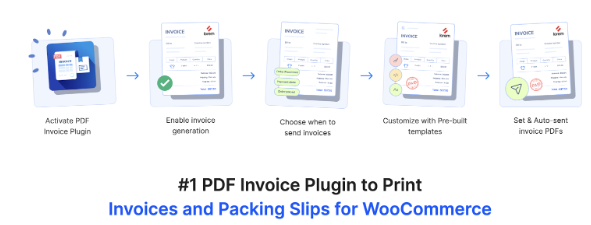
The PDF Invoices & Packing Slips for WooCommerce gives store owners a convenient way to handle order documents. It prepares professional invoices, packing slips, credit notes, and shipping labels automatically and attaches them to order emails as soon as an order reaches the required status. This creates a consistent experience for shoppers while reducing the work required in daily order processing.
The plugin offers flexible templates that can be customized with your logo, business details, tax information, and other important fields. You can print or download invoices, packing slips, delivery notes, and dispatch labels directly from the order page. For customers, the My Account area includes an option to download their invoices whenever needed. Stores that require electronic documentation will also find support for UBL and XML invoice formats, which helps improve compatibility with accounting or compliance systems.
Order management becomes faster through bulk actions that allow printing or downloading multiple documents at once. With these capabilities, the invoice for WooCommerce plugin brings structure, clarity, and convenience to every stage of your WooCommerce documentation workflow.
11. Site Kit by Google

Site Kit by Google brings essential performance insights into the WordPress dashboard, giving you a clear view of how visitors discover your site and how they engage with your content. It connects several important Google services in one place, allowing you to review search visibility, traffic patterns, user behavior, and monetization data without switching between different platforms.
The plugin provides reports drawn from tools such as Search Console, Analytics, AdSense, and PageSpeed Insights. These reports highlight the information that matters most, including your top-performing pages, search queries that bring users to your site, and areas where your pages may need performance improvements. Each metric is presented in a familiar and easy format, which makes it useful for both beginners and experienced site owners.
12. WooCommerce Shipping Labels
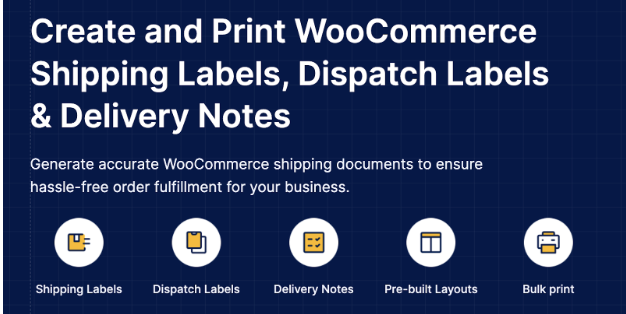
The WooCommerce Shipping Labels plugin helps store owners manage essential order documents directly from the WordPress dashboard. It lets you create shipping labels, dispatch notes, and delivery slips with a few clicks, making the entire fulfillment process more organized and consistent. Each document can be generated quickly for individual orders or in batches, allowing you to move through your workflow with greater efficiency.
The plugin includes ready-to-use layouts for shipping labels and delivery notes, all of which can be customized with your preferred details. You can adjust sections, add your return address, include product information, tracking number, and modify the overall structure to match your store’s format. The plugin also supports custom label templates that can be saved and reused whenever needed.
Dispatch labels and delivery notes can include meta fields from products and orders, helping you display any additional information that supports accurate packing and shipping. Bulk printing options allow you to handle multiple orders at once, reducing time spent on routine tasks.
13. Customer Reviews for WooCommerce


Customer Reviews for WooCommerce helps stores build stronger credibility by encouraging shoppers to share authentic feedback after their purchase. It supports both automated and manual reminders, making it easier for customers to return to your store and submit a review. These reminders feel personal and arrive at the right moment, which increases the likelihood of receiving genuine responses.
The plugin offers a smooth reviewing experience through on-site forms that allow customers to rate products, upload images, and add more context to their comments. Review sections can include helpful features such as voting, filtering, and questions and answers, giving future buyers clearer insight into the product they are considering. You can also provide rewards or discounts in return for completed reviews.
The plugin integrates with Google Shopping, allowing eligible product ratings to appear on Google surfaces. You can also send reminders through WhatsApp using the click to chat option, giving customers another simple way to respond. Together, these features help you collect more valuable feedback and improve trust around your products.
14. Smart Coupons for WooCommerce
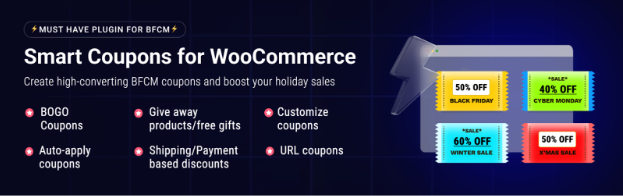
Smart Coupons for WooCommerce gives store owners a flexible way to plan promotions that feel meaningful to customers while supporting stronger revenue growth. It brings a wide selection of discount types into one system. Whether you want to reward loyal customers, recover abandoned carts, or run seasonal promotions, the plugin provides the structure you need.
You can build advanced coupons with clear rules, ensuring each offer activates only when the right conditions are met. This includes BOGO deals, product-based triggers, cart value requirements, user restrictions, and purchase history rules that allow you to craft targeted incentives. Gift cards and store credits can be issued directly to customers or shared as presents, giving your store a versatile method to draw in new buyers.
With settings for auto-applying coupons, re-engaging cart abandoners, and creating personalized promotions, this advanced WooCommerce coupon plugin helps you maintain steady engagement and build offers that resonate with your audience.
15. Ajax Search Lite

Ajax Search Lite gives WordPress users a faster and more intuitive way to explore content through an instant search bar that updates results as they type. It creates a smoother browsing experience by displaying suggestions immediately, helping visitors find what they need. The interface remains clear and responsive across devices, making it useful for blogs, stores, and any site with a growing content library.
The plugin can search through posts, pages, WooCommerce products, events, portfolios, and other custom post types. It scans titles, descriptions, excerpts, categories, tags, and even custom fields, ensuring results feel complete and relevant. Category and post type filters help narrow searches, while features like Google Autocomplete and keyword suggestions guide visitors toward the right content more quickly.
16. GDPR Cookie Consent Plugin
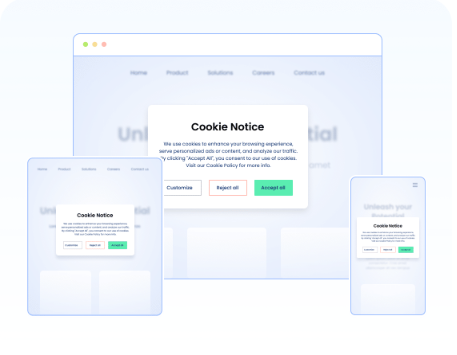
The GDPR Cookie Consent plugin helps websites meet global privacy requirements by giving visitors clear control over how their data is used. It displays a customizable banner that collects valid consent and manages tracking based on each user’s choices. As a Google-certified CMP, the plugin supports Consent Mode v2 and offers automatic script blocking, helping your site stay compliant while still allowing analytics and advertising tools to function once consent is granted.
The GDPR plugin also includes support for Microsoft Clarity, UET, and IAB’s Transparency and Consent Framework v2.2. This allows you to present a detailed cookie banner that lists purposes, features, and registered vendors so visitors can make informed decisions.
To keep things accurate, the plugin features a cookie scanner that detects cookies used across your site and organizes them by category. These lists can be displayed on a website with a shortcode. An automatic blocker prevents third-party scripts from running until consent is received, giving you full control over how cookies behave.
17. Accessibility Tool Kit

The Accessibility Tool Kit helps WordPress site owners create an environment that supports a wider range of users and aligns with established accessibility standards. It works across themes, content, and third-party plugins to correct common barriers such as missing labels, unclear structure, and issues that disrupt screen reader interpretation. By identifying these problems early and applying meaningful improvements, the plugin strengthens the overall experience for visitors who rely on assistive tools or alternative navigation methods.
WebYes also offers a free Accessibility Checker Chrome Extension that helps developers and testers quickly evaluate webpages for WCAG compliance. It detects common accessibility issues such as missing alt text, improper heading structure, and insufficient contrast, while enabling real-time element inspection, alt text verification, keyboard focus visualization, and testing across desktop and mobile experiences. Designed to be lightweight and privacy-friendly, the tool makes it easy to assess accessibility and work toward WCAG, ADA, and EAA compliance.
Wrapping Up
A well-built eCommerce store relies on tools that complement each other and reduce unnecessary effort. The plugins in this list are chosen for their ability to simplify tasks, strengthen communication, improve search visibility, and create a more polished buying experience. As your catalog grows and customer expectations continue to shift, these additions can help you keep pace without complicating your workflow.
Whether you are focusing on faster performance, improved compliance, smarter promotions, or better user engagement, each plugin offers a clear advantage. By selecting the ones that suit your priorities, you can build a store that performs reliably, adapts easily, and supports the results you want to achieve.
