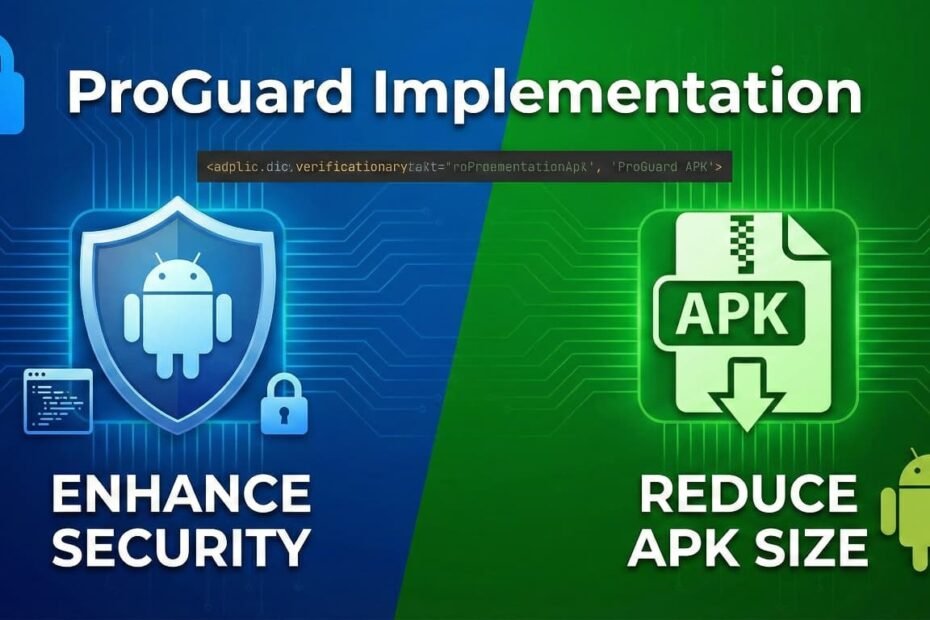
Mobile applications today process sensitive data, handle secure transactions, and store valuable business logic. This makes them a prime target for reverse engineering, data tampering, and unauthorized access. As a result, securing an Android application’s codebase has become a fundamental part of any modern development workflow. One of the most widely used tools for this purpose is proguard, a built-in security and code-optimization feature provided within the Android development ecosystem. Implementing proguard not only protects your application from reverse-engineering threats but also improves performance and reduces overall APK size, making it an essential component of mobile app security.
Understanding Why ProGuard Matters
Before diving into implementation, it’s important to understand why proguard has become an industry standard. Android applications are packaged in formats that can be easily decompiled by attackers, allowing them to view the internal logic, extract algorithms, modify app behavior, or steal intellectual property. ProGuard combats these risks by obfuscating code, renaming classes, methods, and variables into meaningless identifiers, making it extremely difficult for a third party to interpret the code. In addition to obfuscation, proguard also performs code shrinking, resource optimization, and pre-verification, all of which contribute to better performance and stronger security.
Moreover, today’s Android apps rely heavily on external libraries, APIs, analytics tools, and integrations that must remain functional after obfuscation. This is why proper proguard configuration has become a critical component of stable and secure Android development.
How ProGuard Works in Android
ProGuard performs four essential tasks:
1. Shrinking
It removes unused classes, fields, methods, and attributes that are not required by the application. This not only reduces the size of the APK but also decreases the attack surface.
2. Optimization
ProGuard analyzes and optimizes Java bytecode, eliminating unnecessary instructions and improving execution efficiency.
3. Obfuscation
The most important feature is obfuscation, where all names, such as classes, methods, and variables, are replaced with short, meaningless identifiers. This makes the resulting code extremely difficult to understand even if decompiled.
4. Preverification
ProGuard ensures that bytecode is prepared for certain environments and platforms that may require preverified classes.
Combined, these features strengthen security and improve runtime performance, all with minimal effort from the developer.
Implementing ProGuard in Android Applications
Implementing proguard in Android applications is relatively straightforward because it comes integrated within Android Studio. Developers only need to enable ProGuard within their build settings to activate shrinking, optimization, and obfuscation. Once enabled, ProGuard automatically begins cleaning unused code, improving performance, and applying security enhancements to the build.
ProGuard uses a rules file to determine what can be obfuscated and what must be preserved. Because Android applications often depend on libraries, APIs, or reflection-based methods, developers must ensure that required classes are not obfuscated. Otherwise, functionality can break. A well-structured ProGuard configuration is essential for striking a balance between maximum security and complete app functionality.
Best Practices for Working with ProGuard Rules
ProGuard rule files help developers control what is obfuscated and what is kept. To ensure stable usage, developers should follow these best practices:
1. Preserve Required Classes
Some libraries, especially those that rely on annotation processing, reflection, or dynamic loading, require specific classes and methods to remain unmodified. Developers must specify these within the rule file.
2. Minimize Exceptions
Although it may be tempting to keep many classes intact for safety, doing so weakens the obfuscation process. Only essential elements should be exempt from obfuscation.
3. Test Regularly
Every time ProGuard rules are updated, the app must be tested thoroughly to ensure no functionality breaks.
4. Review Library Documentation
Most modern libraries provide recommended ProGuard rules. These should be followed to maintain compatibility.
Testing After Enabling ProGuard
Testing is one of the most crucial steps after implementing proguard. Since obfuscation alters class and method names, it can disrupt reflection-dependent components, JSON parsing libraries, dependency injection frameworks, and other third-party tools.
A robust testing cycle should include:
1. Functional Testing
Ensure all user-facing features behave exactly as expected. Any crashes or failures during navigation, user actions, or background operations should be reviewed.
2. Library Compatibility Testing
Check that external SDKs, such as analytics, payment gateways, and API clients, continue to function properly.
3. API & Network Testing
Some back-end systems rely on specific method signatures or serialized object structures. Testing ensures these remain correct after obfuscation.
4. Staged Release Testing
Rolling out the app in internal, closed, and open testing tracks helps detect issues that weren’t caught during development.
Without thorough testing, ProGuard can cause unexpected bugs. With proper validation, however, the benefits far outweigh the effort.
Common Challenges Developers Face
Using proguard can introduce a set of challenges if not managed correctly. These include:
- Breaking reflection-based code
- Incompatibility with certain libraries
- Difficulty debugging obfuscated builds
- Maintaining large ProGuard rule sets
- Time-consuming testing cycles
However, most of these challenges can be avoided with precaution, documentation, and consistent testing practices. Many modern Android libraries also provide pre-written ProGuard configurations, making the process easier for developers.
Benefits of Implementing ProGuard
Even though implementing proguard requires some configuration effort, the advantages are significant:
1. Increased Security
Obfuscation makes reverse engineering extremely difficult, protecting sensitive business logic, algorithms, or API structures.
2. Smaller App Size
By removing unused code and resources, ProGuard helps reduce APK size, improving download speed and user experience.
3. Faster Performance
Optimized bytecode leads to smoother execution and improved runtime efficiency.
4. Compliance with Security Standards
Many industries require code obfuscation as part of their compliance policies, making ProGuard an essential tool for enterprise apps.
Conclusion
Implementing proguard in Android applications is an essential step toward strengthening mobile app security. It helps protect code from reverse engineering, reduces APK size, and optimizes performance, all while maintaining compatibility with modern development frameworks. With clear configuration, accurate ProGuard rules, and thorough testing, developers can build secure, stable, and high-performing applications that resist unauthorized access and tampering.
As businesses increasingly rely on mobile apps for critical operations, investing in strong code-protection tools like ProGuard becomes even more important. For teams aiming to achieve higher security standards and smoother development workflows, platforms like doverunner offer an additional layer of advanced protection. They provide real-time threat detection, anti-tampering safeguards, and powerful code-shielding for both Android and iOS. Its no-code integration and compliance-ready design make it easy for developers to secure applications without interrupting their workflow, ultimately enhancing overall protection, stability, and user trust in mobile applications.
