WordPress customization is the practice of building functionality, design, or integrations specifically around how a business operates, rather than adapting a business to fit what off-the-shelf tools allow. Most sites don’t need it from day one. But there are clear, recognizable moments when adding more plugins stops solving problems and starts creating new ones.
For a lot of small business owners, those moments creep up quietly. The site still works. Sort of. But every month there’s a new fire to put out, a workaround that doesn’t quite work, or a feature request the team can’t fulfil without installing yet another plugin. By the time someone starts Googling “WordPress customization,” the site has usually been showing the signs for a while.
Here are six of the clearest ones and what they actually mean in practical terms.
What “WordPress Customization” Actually Means
Before getting into the signs, it’s worth being specific about what the term means because it gets used loosely.
Installing a plugin is a configuration. It means telling WordPress to use something that already exists. It’s fast, inexpensive, and the right approach for the vast majority of website needs.
WordPress customization is something different. It means writing code specifically for a site, a plugin built from scratch to handle a unique workflow, a theme developed around a brand’s actual requirements rather than modified from a template, or an integration between a website and an external tool that’s built to match how that business’s data actually flows.
The practical difference is control. With configuration, the site is shaped around what existing tools allow. With customization, the tools are shaped around what the site needs to do.
Most businesses start with configuration and should. The question is knowing when that approach has run its course.
If that question feels relevant right now, it’s worth looking at what professional WordPress customization services actually cover before deciding on a path forward.
Sign 1 — Plugin Updates Keep Breaking Things
If something on a site breaks every few months after a routine update, that’s not a coincidence. It’s a structural pattern worth paying attention to.
A business owner described the situation well in a widely-read r/Wordpress community thread: they’d been paying for professional WordPress maintenance for years. A theme update came through. The site layout broke. When they followed up, they were told the theme hadn’t actually been updated since 2016 and that rebuilding the entire site was now the recommended path forward.
Plugin and theme conflicts are one of the most consistently reported frustrations among WordPress site owners. This is often where an IT service provider becomes essential to stabilize and manage dependencies. A developer writing in a dev.to discuss plugin management described a client’s eCommerce store crashing just days before Black Friday because two plugins, both essential to the site’s operation, stopped working together after an update from one of them.
The underlying reason this keeps happening is worth understanding. Plugins are built independently, by different developers, for different use cases and different audiences. When enough of them are stacked on a single site, compatibility becomes fragile. One update from one developer, even a well-intentioned, security-focused update, can trigger a conflict somewhere else in the stack.
The more plugins a site runs, the more update events happen each month, and the higher the statistical chance that one of them disrupts something. This isn’t a reason to avoid plugins entirely. It is a reason to treat recurring breakages as a signal that the site’s architecture has become too dependent on too many independently maintained moving parts.
Sign 2 — The Site Is Slow and Removing Plugins Doesn’t Help
Every plugin added to a WordPress site adds code that the server has to load on every page request. Scripts, stylesheets, database queries, API calls, each plugin contributes some combination of these, and they accumulate.
Page speed matters for reasons beyond user experience. Research from Google shows that as mobile page load time increases from one second to three seconds, the probability of a visitor leaving before the page loads increases by 32%. For a site that generates leads or sells products, that’s not a UX statistic; it’s a revenue statistic.
The insidious thing about plugin bloat is that it builds gradually and invisibly. Each new plugin feels like a small decision at the time. Twenty small decisions later, the site is noticeably slower, and no single removal fixes it cleanly because the weight is distributed across many files and database calls.
This is also why simply deactivating a few plugins often doesn’t produce the speed improvement people expect. The code added by plugins doesn’t always disappear from the database when a plugin is deactivated. Tables get left behind. Options accumulate. The site carries the residue of every tool that’s ever been installed on it.
Custom development addresses this at the source. Code written specifically for a site carries only what that site needs; no unused features are loading in the background; no generic functionality built for thousands of different use cases is being imported for the benefit of one.
Sign 3 — The Feature Needed “Almost Exists” in a Plugin
The duct-tape problem
Here’s a pattern that comes up often: someone finds a plugin that handles 70% of what the site needs to do. They find a second plugin to cover another 20%. Then a third to handle an edge case that the first two don’t account for. The three plugins don’t quite communicate with each other, so there are manual steps in the middle. The workflow technically functions, but it’s fragile and time-consuming.
This is one of the clearest signals that a site has moved from being configured to being fought with.
A practical example: a business needed returning customers to automatically receive free shipping, with different rules for subscription products versus one-time purchases, and different thresholds by order value. No single plugin handled that combination. Stacking plugins got close but introduced errors at the edges, wrong rules applied to the wrong customers, or the logic broke after cart updates.
The actual solution was a single custom plugin built around the business’s specific rules. It handled all the conditions cleanly, integrated properly with the checkout flow, and didn’t require manual oversight to catch the edge cases. That’s what custom WordPress development makes possible: not a workaround that approximates the requirement, but a solution built to the exact specification of how the business actually operates.
Sign 4 — The Site Can’t Connect to the Tools the Business Runs On
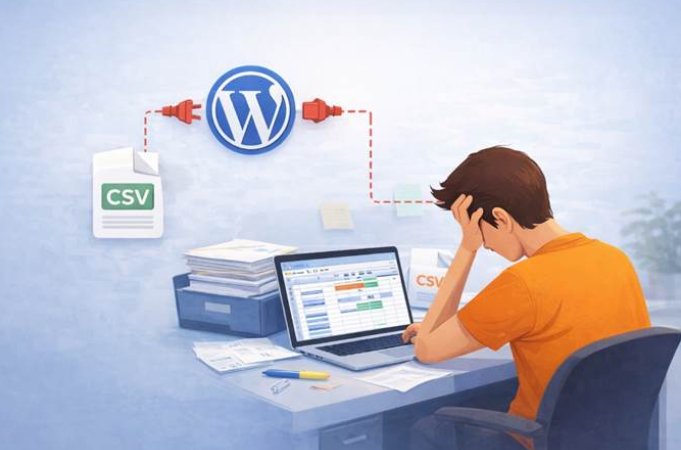
A website rarely operates in isolation. It needs to connect to a CRM, an email platform, a booking system, a billing tool, an inventory system, and the list varies by business, but the principle is consistent. When those connections don’t exist or don’t work reliably, the gap gets filled by manual work.
Every time someone exports a CSV to move data between two systems, or manually updates information in two places because they don’t sync, that’s a workflow the website should be handling automatically.
Off-the-shelf integrations cover the common cases well. Connecting WordPress to Mailchimp, Stripe, or a standard CRM via a plugin works for many businesses. The problems start when the setup gets specific.
A subscription model with custom renewal logic. Tiered pricing by customer type. A membership system that gates content differently based on purchase history. A booking system that needs to update availability in real time across multiple external calendars. Generic integrations run out of road quickly in these scenarios; they’re built for the average use case, not for the specific one.
Custom WordPress development means the integration is built to the actual data structure and business rules in play. The connection behaves the way the business works, not the way a plugin developer assumed most businesses would work.
Sign 5 — The Current Theme Feels Like a Trap
There’s a particular kind of stuck feeling that comes from being locked into a theme that no longer fits, where switching feels riskier than staying, even though staying means continuing to work around limitations every week.
It usually develops like this. A theme gets chosen early on. It’s close enough to what the site needs. Over time, small customizations accumulate a bit of custom CSS here, a page builder override there, a child theme tweak to handle something the original theme didn’t support. The site starts to depend on this layered set of modifications.
Then the theme needs a major update, and updating it would break all of those accumulated customizations. So, the update gets delayed. Then delayed again. The theme falls further behind. Eventually, the gap between the current version and the available update is so large that updating becomes effectively the same as rebuilding.
This is design debt. It compounds silently until it can’t be ignored.
The r/Wordpress thread mentioned earlier is a good illustration. The site owner had been maintaining a theme purchased in 2016. Years of deferred updates meant the theme was architecturally incompatible with its own current version. The maintenance provider couldn’t resolve it. The options left were all expensive.
A theme built from scratch or a thoroughly custom child theme developed against a well-maintained parent doesn’t accumulate debt in the same way, because it’s designed around the site’s actual requirements from the beginning rather than adapted from someone else’s template.
Sign 6 — Security Feels Like a Constant Game of Catch-Up
WordPress core is a mature, actively maintained platform with a strong security track record. The security risks associated with WordPress sites come largely from what gets added to it.
According to research cited by Webvise, over 13,000 WordPress vulnerabilities were disclosed in 2025, the vast majority in third-party plugins and themes rather than in WordPress itself. Every plugin running on a site is a potential entry point. The more plugins, the larger the attack surface.
This matters practically because of how quickly exploits develop once a vulnerability is made public. Security researchers estimate that exploit code typically appears within 24 to 72 hours of a public vulnerability disclosure. For sites running plugins that haven’t been updated recently, or plugins from smaller developers without a consistent security review process, that’s a narrow window.
There’s also a less-discussed risk: many plugins collect or expose data they don’t need to. A contact form plugin that stores submissions in the database indefinitely. A social sharing plugin that loads external scripts and tracks visitors. These aren’t necessarily malicious — they’re just built broadly, for general audiences, without knowing how any specific site uses them.
Custom-built functionality sidesteps much of this. Code written for a specific site doesn’t carry unused features, doesn’t expose unnecessary data, and isn’t a publicly known target in the way popular plugins are. The attack surface is smaller by design.
Running a vulnerability scan on an existing site is a sensible starting point for anyone who isn’t sure where things currently stand before making any larger architectural decisions.
A Quick Self-Assessment
These questions are worth going through honestly. They tend to surface the pattern more clearly than any single sign does in isolation.
| Question | Yes / No |
| Has a plugin or theme update broken something on the live site in the last six months? | |
| Does the site take more than three seconds to load on a mobile device? | |
| Are three or more plugins being used to approximate a single workflow? | |
| Is data being moved manually between the site and another business tool regularly? | |
| Does switching the current theme feel too risky to attempt? | |
| Has there been an unexplained security event or suspicious site behaviour recently? |
Three or more “yes” answers are a reasonable indicator that the site has moved past what plugin-based solutions can cleanly address. One or two are worth monitoring; these issues tend to compound rather than resolve on their own.
What Usually Happens Next
Recognizing these signs doesn’t automatically mean a full rebuild is necessary. It often isn’t.
The more useful first step is diagnosing what’s actually causing the friction. Sometimes a single well-built custom plugin resolves most of the problem. Sometimes the issue is a theme dependency that a custom child theme fixes without touching anything else. Sometimes the integration gap is the only thing that needs custom work, and the rest of the site is architecturally sound.
The distinction between “this needs custom development” and “this needs better configuration” is worth establishing before committing to any particular path. That usually means talking to a developer or a reliable web design service provider who’s willing to look at the site before quoting — one who asks questions about how the business works, not just what the site currently has installed.
What tends to go wrong is when the decision gets made in the wrong order: rebuilding or customizing based on symptoms rather than causes, or adding more plugins in the hope that the next one will be the one that finally makes things work.
The signs in this article are useful precisely because they point to causes, not just symptoms. A site that breaks after every update has a dependency problem. A site that’s slow despite optimization efforts has an architecture problem. A site that can’t connect to the tools the business runs on has an integration problem. Each of those has a different solution — and knowing which one applies makes the path forward considerably clearer.
FAQ
Is WordPress customization the same as building a website from scratch?
Not necessarily. Custom WordPress development still works within the WordPress ecosystem, which means writing code specific to a site’s needs rather than relying entirely on off-the-shelf themes and plugins. The WordPress admin dashboard, content management, and publishing tools remain intact. What changes is the underlying functionality and design, which is built to the site’s requirements rather than borrowed from a template designed for general use.
How do you know whether a custom plugin or a custom theme is needed?
A custom plugin is the right answer when the problem is a functional something the site needs to do that no existing plugin handles cleanly or reliably. A custom theme is the right answer when the problem is structural, when the site’s design, layout, or brand expression is being constrained or distorted by the theme it’s built on. Many projects involve both, but they’re distinct problems worth diagnosing separately before deciding what to build.
Will a customized WordPress site be harder to manage day-to-day?
When the customization is done well, the opposite tends to be true. A site built around how a business actually works is easier to manage than one where the workflow has been bent to fit the tools. Content updates, product changes, and page edits still happen through the standard WordPress dashboard. Custom development changes what’s running underneath, not the day-to-day interface most users interact with.
How much does WordPress customization typically cost?
Scope determines cost more than anything else. A single custom plugin solving a specific, well-defined problem can run from a few hundred to a couple of thousand dollars. A full custom theme, a complex API integration, or a major architectural overhaul sits considerably higher. The more clearly a project’s requirements are defined upfront, the more accurately it can be scoped and priced, which is why a detailed conversation before any quote is issued matters more than most people expect.
There’s no universal threshold at which a WordPress site definitively needs custom development. But the signs described here, recurring conflicts, persistent slowness, feature workarounds, broken integrations, theme lock-in, and expanding security exposure, tend to cluster together in sites that have reached that point.
The common thread running through all of them is that the site has started working against the business rather than for it. That’s the real signal worth paying attention to.
For businesses that have recognized several of these signs and want to understand what custom development would actually involve, exploring WordPress customization services is a practical next step, starting with a scoping conversation rather than a commitment.

Leave a Reply